
Agar aapka phone jaldi discharge ho raha hai, heat ho raha hai ya performance slow lag raha hai, to sabse pehle aapko check karna chahiye how to check mobile battery health. Bahut se users ko pata hi nahi hota ki battery health kaise check kare aur kab battery replace karni chahiye.
Is complete 2026 Tips me hum step-by-step samjhayenge how to check mobile battery health Android aur iPhone dono me. Saath hi aap jaanenge battery health percentage ka kya matlab hota hai, kaun sa hidden code use hota hai, aur kaise aap apni battery life ko improve kar sakte hain.
Agar aap bhi apne phone ki performance boost karna chahte hain aur battery drain problem ka permanent solution chahte hain, to is article ko last tak zaroor padhiye.
Why Battery Health Check Important?
Battery health batata hai ki aapki battery kitni strong hai compared to new condition. Agar battery health 80% se neeche aa jaye, to performance slow ho sakti hai.
Battery health check karne ke fayde:
- 🔋 Fast battery drain ka reason pata chalta hai
- ⚡ Phone lagging issue solve hota hai
- 🔥 Overheating problem detect hoti hai
- 💰 Time par battery replace kar sakte hain
How to Check Mobile Battery Health in Android
Android me direct battery health percentage har phone me show nahi hota. Lekin neeche diye gaye methods ka use kar sakte hain:
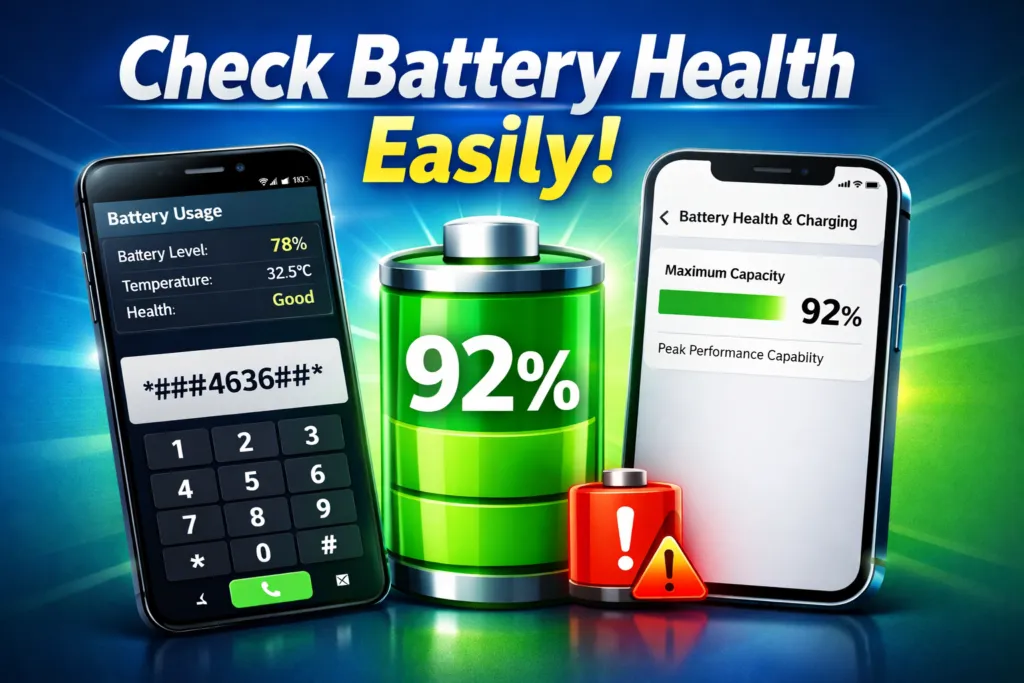
Method 1: Hidden Battery Code (Dialer Trick)
- Phone dialer open kare
- Type kare: ##4636##
- Battery Information option par tap kare
Yaha aapko battery status, temperature aur health details mil sakti hain (sab phones me kaam nahi karta).
Method 2: Settings Se Battery Usage Check
- Settings open kare
- Battery option par jaye
- Battery usage ya Battery activity check kare
Yaha se pata chalega kaun si app jyada battery use kar rahi hai.
Method 3: Third-Party App Se Battery Health Check
Play Store par kai apps available hain jaise:
- AccuBattery
- CPU-Z
- Ampere
Ye apps battery capacity aur charging speed monitor karte hain.
How to Check Mobile Battery Health in iPhone
Agar aap iPhone use karte hain to direct battery health percentage dekh sakte hain:
- Settings open kare
- Battery par tap kare
- Battery Health & Charging par jaye
- Maximum Capacity check kare
Agar percentage 80% se kam ho to battery replace karna better hota hai.
Battery Health Percentage Meaning
| Battery Health | Condition |
| 100–90% | Excellent |
| 89–80% | Good |
| 79–70% | Weak |
| Below 70% | Replace Battery |
How to Improve Mobile Battery Health
Battery life improve karne ke liye:
- 20% se neeche phone discharge na hone de
- 100% par long time charge na rakhe
- Original charger use kare
- Background apps band kare
- Dark mode use kare
- Screen brightness kam rakhe
Signs Your Phone Battery Is Damaged
- Phone jaldi band ho jana
- Charging slow hona
- Phone heat hona
- Battery swelling
Agar ye signs dikhe to turant battery check karaye.
Conclusion
Ab aap easily samajh gaye honge how to check mobile battery health Android aur iPhone me. Regular battery monitoring se aap apne phone ki performance aur life dono improve kar sakte hain.
Agar aapko battery drain problem aa rahi hai, to aaj hi battery health check kare aur solution follow kare.