
aj ke digital daur me har smartphone user ke liye mobile sound setting bahut important feature hai. Chahe aap music sun rahe ho, gaming kar rahe ho, online class attend kar rahe ho ya sirf normal calling – agar sound clear aur loud nahi hai to pura experience kharab ho jata hai. Isi liye mobile sound setting ko sahi tarike se samajhna aur optimize karna zaroori hai.
Bahut log sirf volume button badha dete hain, lekin unhe pata nahi hota ki mobile sound setting me Media Volume, Call Volume, Ring Volume, Alarm Volume, Equalizer, Sound Enhancement aur Vibration jaise advanced options bhi hote hain. Agar in sab settings ko properly configure kiya jaye to bina kisi third-party app ke aap apne phone ka sound kaafi better bana sakte hain.
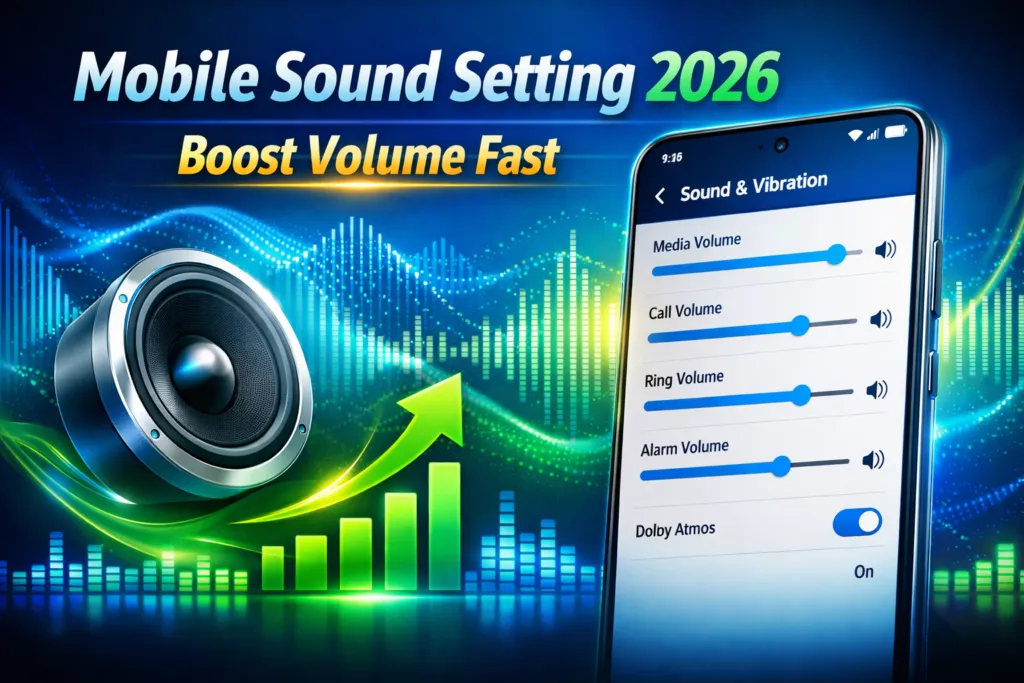
Is guide me hum step-by-step samjhenge ki mobile sound setting kaise open kare, kaise volume boost kare, kaise common sound problems fix kare aur kaun-se hidden options aapke audio experience ko powerful bana sakte hain. Agar aap apne phone ka sound performance improve karna chahte hain, to yeh complete guide aapke liye hai.
Mobile Sound Setting Kya Hoti Hai?
Mobile sound setting ek control panel hota hai jahan se aap:
- Media volume control karte hain
- Call volume adjust karte hain
- Ringtone & notification sound change karte hain
- Vibration intensity manage karte hain
- Sound enhancement enable karte hain
Android phones me yeh settings usually milti hain:
Settings → Sound & Vibration
Official Android guide bhi volume aur vibration management explain karta hai Android Help.
Table of Contents
Mobile Sound Setting Kaise Open Kare? (Step-by-Step)
Step 1:
Phone ki Settings open kare.
Step 2:
“Sound & Vibration” option par tap kare.
Step 3:
Yahan aapko milenge:
- Media Volume
- Call Volume
- Ring Volume
- Alarm Volume
Har slider ko individually adjust kar sakte hain.
Volume Boost Karne Ka Safe Tarika (Without App)
⚠️ Important: Third-party volume booster apps speaker ko damage kar sakte hain.
✔ Safe Volume Boost Method
- Media volume max kare
- Sound Enhancement / Dolby / DTS enable kare
- Equalizer me bass slightly increase kare
- Speaker grill clean kare (dust remove kare)
Sound Clear Nahi Aa Raha? Ye Kare
- Phone restart kare
- Bluetooth off kare
- Headphone jack check kare
- Software update kare
Aksar minor bug se sound issue hota hai.
Advanced Android Sound Settings (Pro Tips 2026)
Kuch brands jaise HUAWEI Support apne support pages par detailed audio customization explain karte hain.
Yeh advanced tips follow kare:
Vibration Intensity Kaise Adjust Kare?
- Settings → Sound & Vibration
- Vibration Intensity adjust kare
- Call aur Notification ke liye alag level set kare
Do Not Disturb Mode Check Kare
Kai baar DND on hone se sound silent ho jata hai.
Check kare:
Settings → Sound → Do Not Disturb → Off
Developer Options Se Audio Improve Kare
⚠️ Advanced users ke liye:
- Settings → About Phone
- Build Number 7 baar tap kare
- Developer Options open kare
Yahan aap:
- Bluetooth Audio Codec change kar sakte hain
- Absolute Volume disable kar sakte hain
Best Equalizer Setting (2026 Recommended)
🎵 Music Lovers Ke Liye
Bass +2
Treble +1
Mid Balanced
🎮 Gaming Ke Liye
Bass Low
Treble Slightly High
📞 Call Clarity Ke Liye
Bass Low
Vocal Boost
Common Sound Problems & Fix
Problem 1: Call Me Awaaz Kam Aati Hai
✔ Call volume increase kare
✔ Speaker clean kare
Problem 2: Media Sound Distorted
✔ Equalizer reset kare
✔ Audio enhancement off karke test kare
Problem 3: Ringtone Change Nahi Ho Raha
✔ Default ringtone reset kare
Mobile Sound Setting FAQs
Q1: Mobile ka sound achanak kam kyu ho jata hai?
Software bug, dust ya volume setting change hone se.
Q2: Tecno mobile me sound boost kaise kare?
DTS enable kare aur equalizer adjust kare.
Q3: Kya volume booster app safe hai?
Nahi. Speaker damage ho sakta hai.
Q4: Sound reset kaise kare?
Settings → Reset → Reset Settings use kare.
Q5: Mobile speaker crack kyu karta hai?
High volume + damaged speaker coil ke wajah se.
Final Conclusion
Agar aap sahi tarike se mobile sound setting configure karte hain to 90% sound problems ghar par hi solve ho jati hain.
Yaad Rakhe:
- 3rd party booster apps avoid kare
- Equalizer wisely use kare
- Speaker clean rakhe
- System update kare
.Is detailed 2026 guide ko follow karke aap apne smartphone ka audio performance professional level tak improve